
Co-parent expense tracker for iPhone
Shared costs without the arguments
Most expense fights are really about missing records. Oya Shield keeps a ledger both sides can trust: receipts attached, splits applied consistently, and a dated history that answers questions before they become disputes.
A system, not a spreadsheet
Log it when you pay
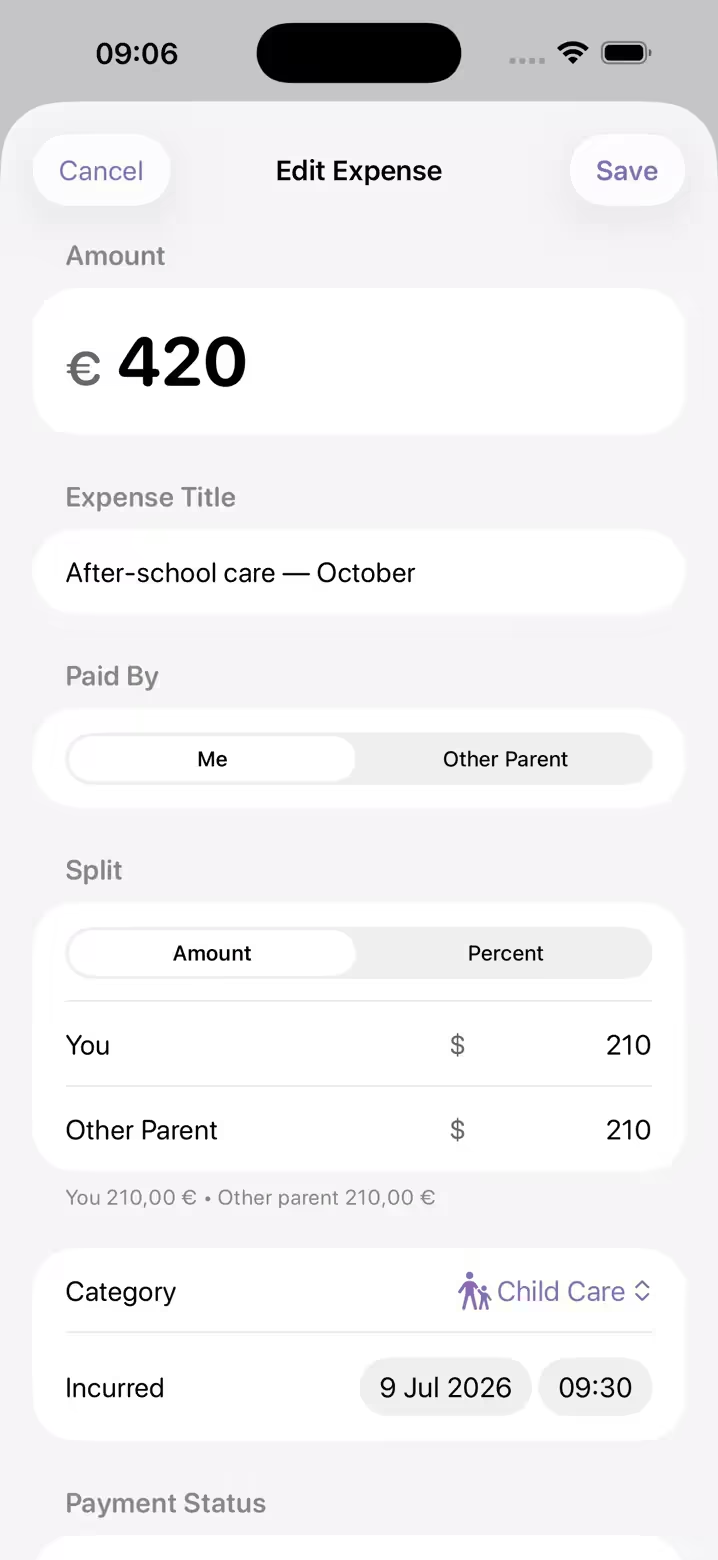
Amount, date, category, who paid. A one-minute habit at the register replaces a weekend of bank-statement archaeology.
Receipts attached, not lost
Photograph the receipt into the entry itself. An expense with its receipt is documented; without one, it’s only a claim.
Split by your rules
Percentage or fixed amounts, per your agreement. The math is mechanical, so it never has to be renegotiated at checkout.
Totals at a glance
What you’re owed, what you owe, what’s settled and this month’s figures stay current in each currency, so settling up is an administrative step instead of a confrontation.
One record with your custody log
Money disputes braid into scheduling disputes. Expenses live alongside your incident log, so the whole history stays in one dated place.
Clean exports for money conversations
With Premium, share a clean, dated PDF of expenses and receipts with your co-parent, mediator, or attorney when it’s needed.
Import & Bulk Add
A backlog of receipts, in one pass
Receipts and bills pile up faster than anyone logs them. Import Receipts takes up to 20 pictures of separate receipts, bills, invoices or statements from your photo library and proposes expense drafts from them, with the amount, a category and a description read off the picture. The analysis happens on your iPhone. Receipts are never merged with one another, so two identical amounts on the same day stay two entries.
Nothing is saved on its own. Every draft arrives under a heading that reads “Review before saving” and waits for you to choose Review & Save or Discard, so nothing joins your ledger before you have read it. What the assistant proposed is kept beside the entry on the iPhone where you imported it, and a PDF report made on that iPhone notes which entries you later rewrote yourself.
Requires an iPhone with Apple Intelligence. Without it, the same import still extracts the text into a prefilled expense you file by hand. Importing and reading receipts is free to try; saving what it finds needs Premium, and eligible new subscribers get the first week free.
Every receipt, in its place
Free to download for iPhone and iPad, with a free week for eligible new subscribers. Expenses and your custody log together, always yours to export.
Wondering what counts as a shared expense? Start with the guide.