Private custody log for iPhoneOne parent
Stop carrying the whole story
in your head.
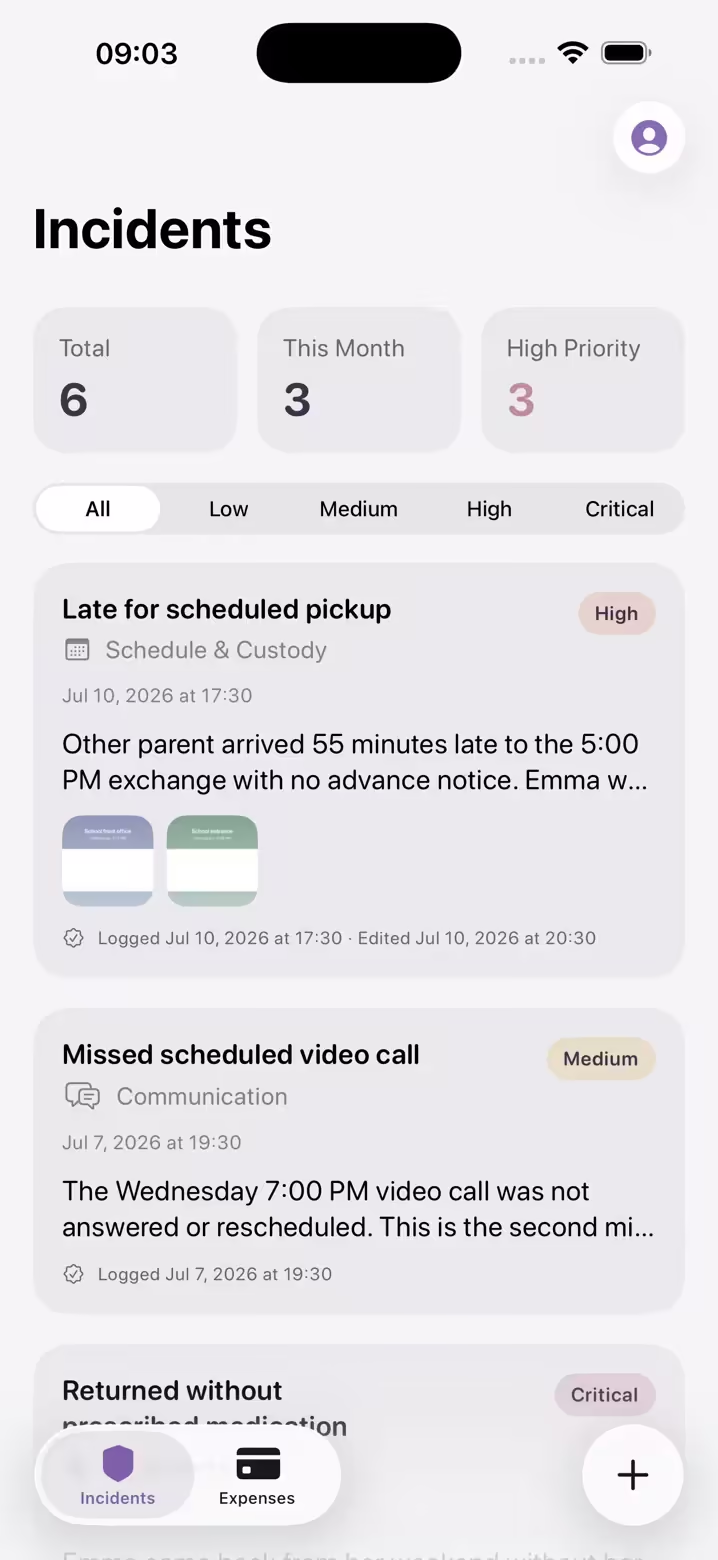
Start the record now, before you need it, not after. Log what happened in two minutes: dates, details, a photo when you have one. Most weeks, nothing comes of it. The day something does, you'll have it: timestamped, and never quietly rewritten. No invitation, no shared account, nothing to set up together.

Why Oya Shield is different
Most co-parenting apps need your co-parent to agree. This one doesn't.
A record is only useful if it already exists on the day you need it, which means it has to survive on its own, without anyone else's cooperation. Shared platforms don't work that way: they only produce a record if the other parent signs up, often pays for their own plan and keeps using it. Sometimes that works. Often it doesn't, because they won't, because they forget, or simply because proposing a shared app is a conversation you'd rather not start yet.
Oya Shield needs one parent. Yours. It records what actually happens in your life, not only what happens inside an app you both agreed to use, whether you're co-parenting amicably and just want your own clear account, or things are harder than that.
How it works
Log it in two minutes
A late pickup, a missed appointment, a receipt. Type it or say it while it's fresh, attach the screenshot you already have, and put your phone down.
The record builds itself
Timestamped, categorized, and on one timeline. Every edit is kept as an amendment, without you thinking about it.
Export when it counts
One tap produces a clean, dated PDF for your own files, a conversation with your co-parent, a mediator, or an adviser.
The Shield
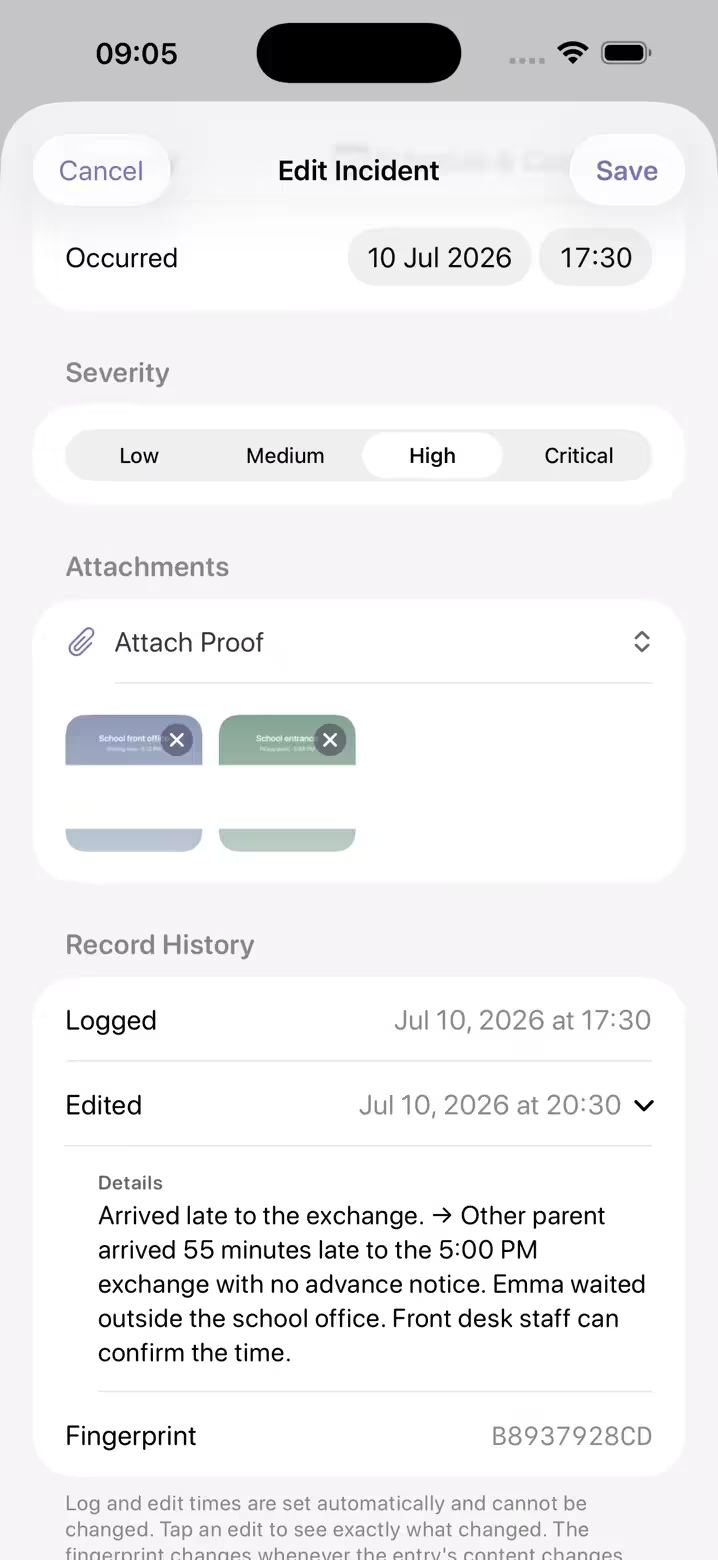
Edits don't overwrite.
Ever.
Any record invites one question: how do we know this wasn't changed later? Oya Shield answers it by design. No one, including you, can quietly rewrite what's already on the record.
Every edit becomes an amendment
Change a detail and the original stays on record, with a history showing exactly what changed and when.
A journal that checks itself
Every entry you create, change or remove adds a sealed line to your record journal. Alter anything afterwards and the chain visibly breaks.
Photos keep their own clock
Attach a photo days later and the PDF still prints the time the camera recorded, with location details stripped out.
Exports show their work
The PDF flags amended entries, so what you hand to a mediator or adviser is transparent about its own history.
Assisted drafts keep their origin
The assistant's original wording stays on record, and exports label what you rewrote.
Two ledgers, one record
Everything that happens, in its place
The custody log
A fair account, captured in two minutes
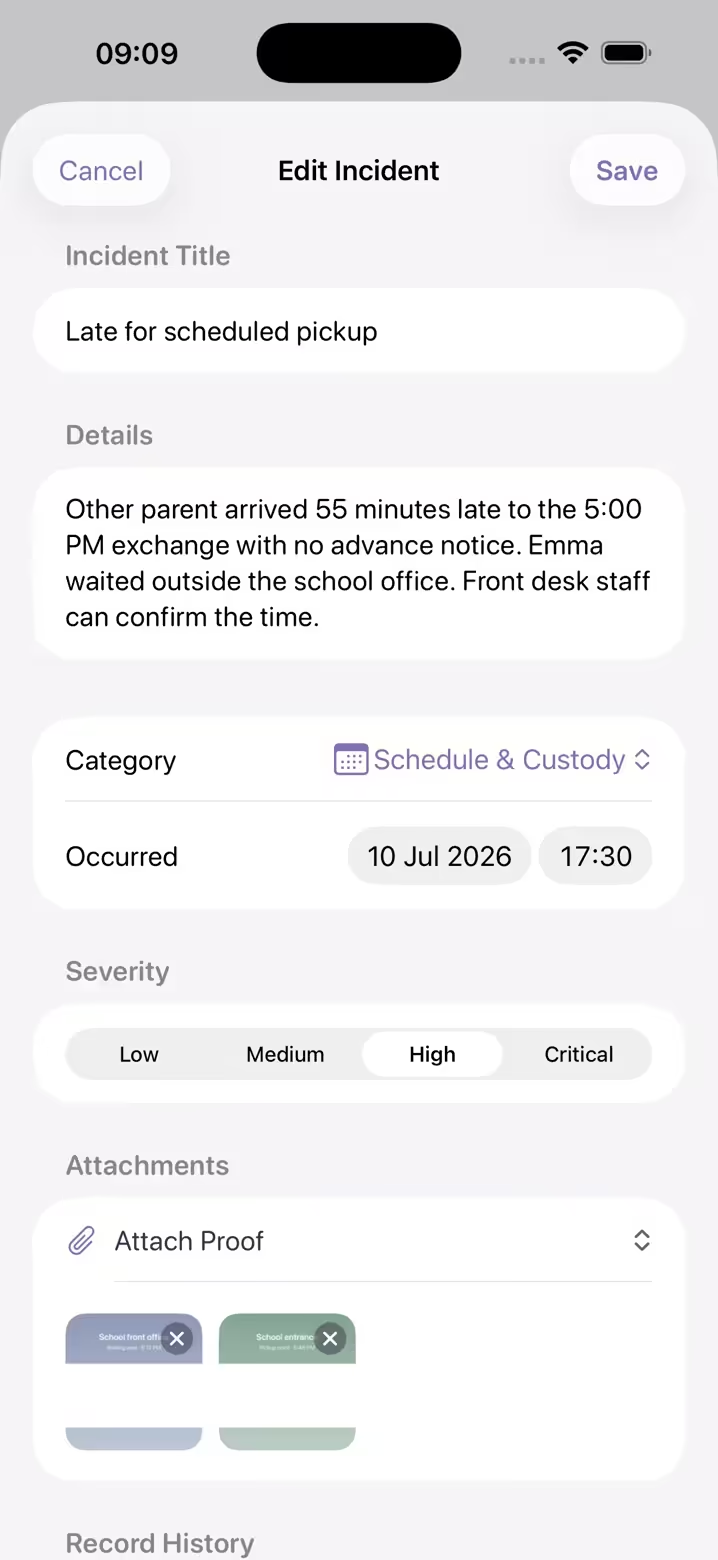
Every incident gets a title, description, category, severity and the date it happened, plus photos when you have them. Filter by severity, or see incidents and expenses together on one timeline, and tell at a glance what's genuinely recurring and what was one bad week.
- · Dictate it: the audio never leaves your iPhone
- · Log from Siri or a Lock Screen control
- · Tag the children involved
- · Note how you know: you saw it, were told, or inferred it
The expense ledger
Shared costs, without the back-and-forth
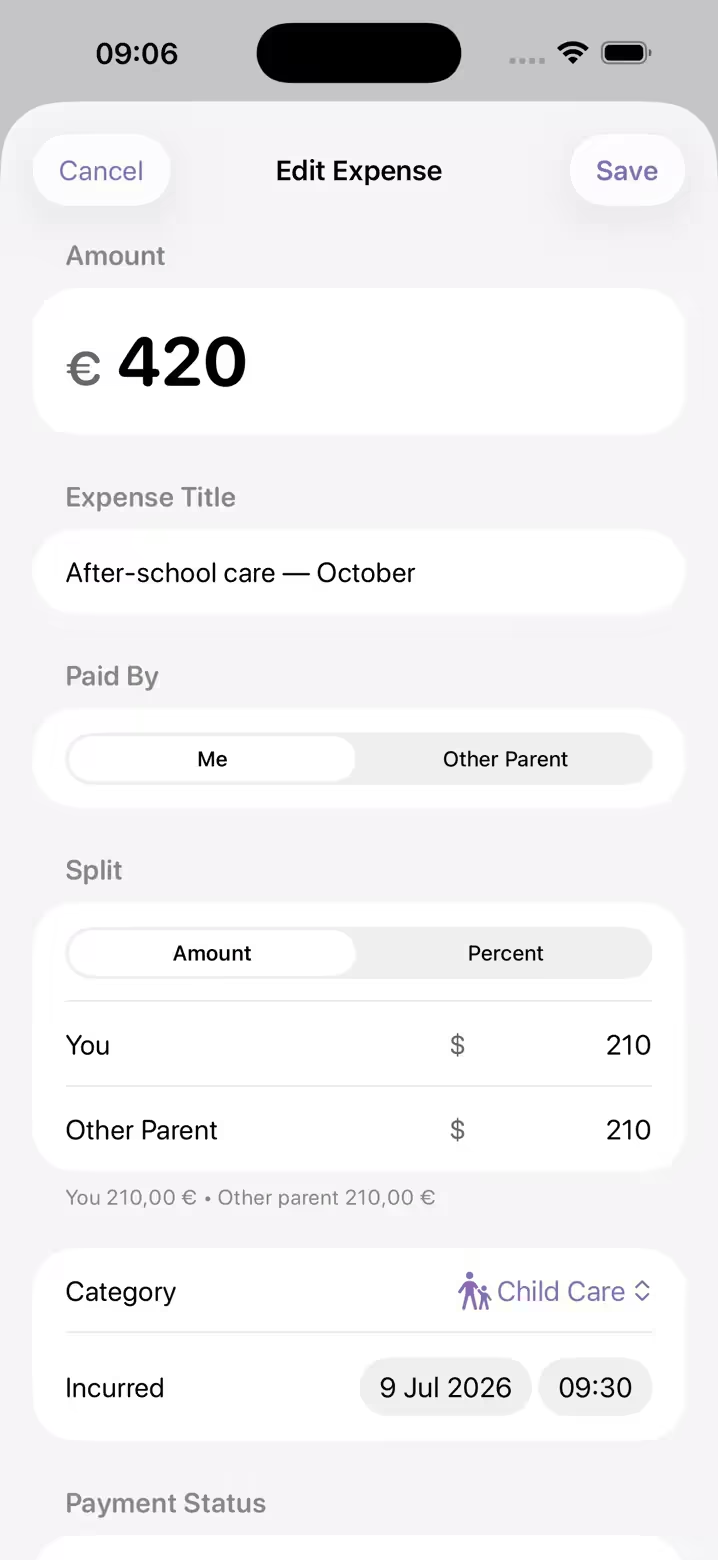
Log each expense as it happens and split it by percentage or exact amount. Attach the receipt, pick a category, and the ledger keeps the running account, so nothing has to be reconstructed from screenshots six months later.
- · Split by percentage or fixed amounts
- · Categories for school, medical, activities and more
- · Attach receipt photos to any entry
- · Outstanding, settled and this-month totals
- · Each expense keeps its own currency
Import & Bulk Add
For the weeks you never got around to writing up.
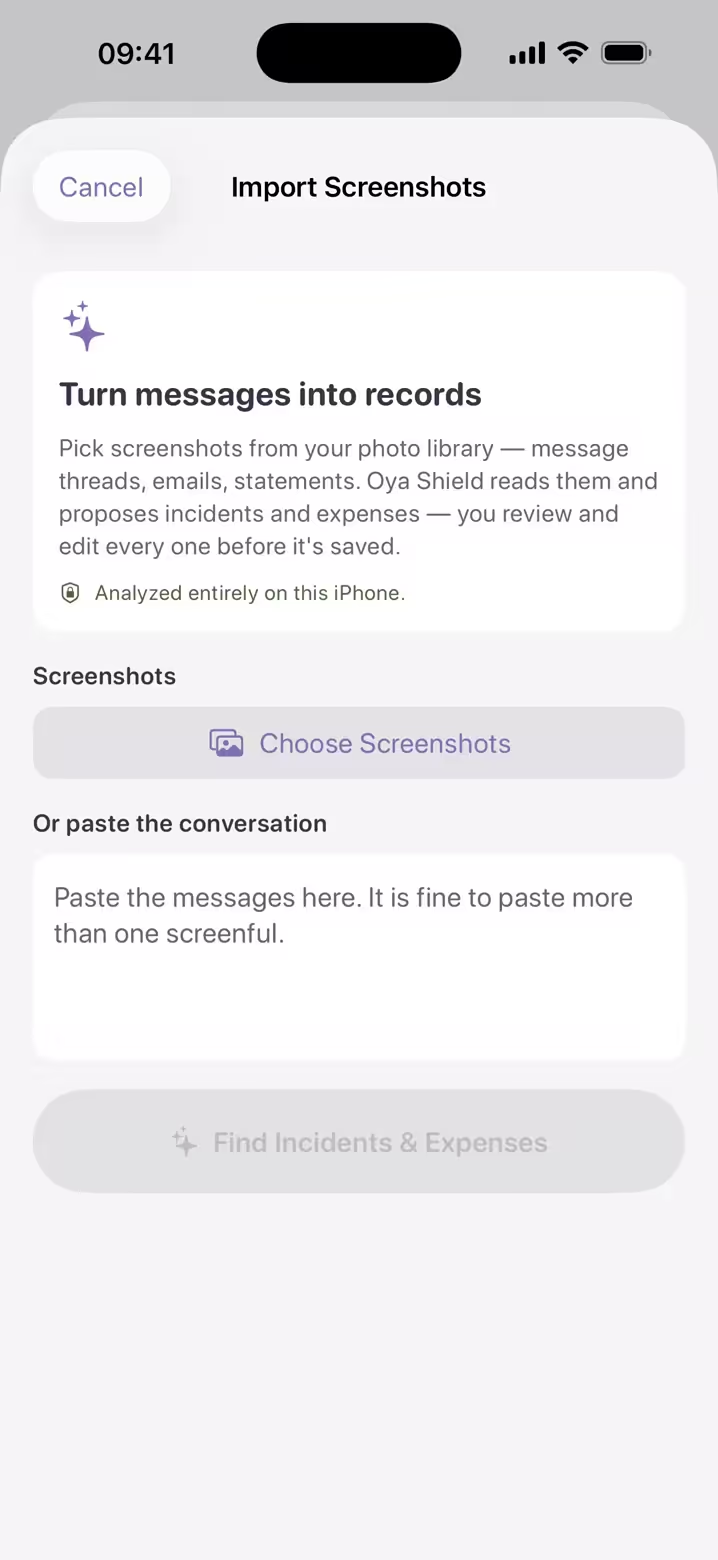
Pick the screenshots you already have, or paste the conversation. Oya Shield drafts the entries and you decide what's kept.
Incidents and expenses, together
Up to 8 screenshots of a thread, or 20 receipts, in one pass.
Review before saving
Every proposal stays a draft until you confirm or discard it.
Analyzed on your iPhone
The reading and drafting happen on the device, not on a server.
Needs an iPhone with Apple Intelligence; without it, import still extracts the text for you.
Share with a professional
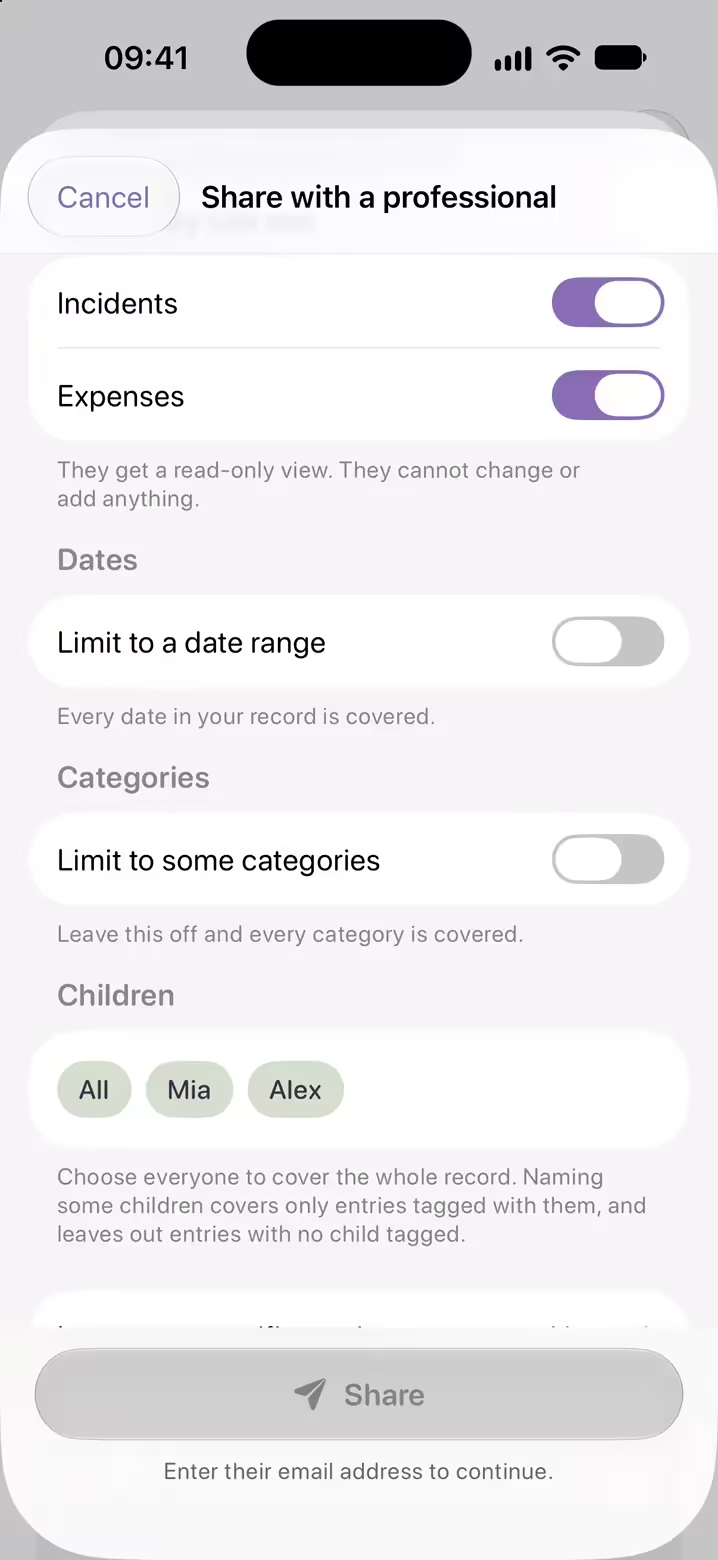
Your lawyer sees what you choose, for as long as you choose.
When it's time to bring in a lawyer or mediator, give them a read-only view of your record instead of a folder of screenshots.
You choose what it covers
Incidents, expenses or both, a date range, categories, children, and any entries you'd rather leave out. A plain summary shows what they'll see, including new entries that match, until you end access.
Read-only, in their browser
They sign in free with the address you invite. Nothing to install, and nothing they can change or add.
Every visit is listed
Each time they open your record or save a PDF, it shows up in the share's activity.
End access anytime
The share stays live until you end it. End it, and they can no longer open your record.
Private by design
Your log is yours alone.
Documenting a difficult relationship takes trust. Oya Shield is built so you never have to wonder who can see what you wrote. Your co-parent is never told it exists.
Encrypted
Your records are encrypted and private to your account. There is no co-parent view, because there is no co-parent account. Nothing is shared unless you share it.
Passwordless
Sign in with a one-time email code. No password to remember, or to leak. Lock the app with Face ID.
Yours to take
Export your full record as a PDF anytime. Your documentation belongs to you.
Start free. Keep everything.
Seven days free, then one simple subscription: one, not two. Every feature included: no tiers, no locked exports, and nothing extra to buy for a second person.
Most months, you'll open it, log a few minutes, and move on. That's the point. It's low-cost precisely because most of the time you won't need it, and it's already there, unbroken, the one time you do. Cancel anytime in the App Store.
iPhone · Auto-renews after the trial unless cancelled
FAQ
Fair questions
The things people ask before trusting an app with something this personal.
Does my co-parent need to use Oya Shield too?
No. There's no invitation, no shared account and nothing for them to agree to. They are never notified that you use it, and they can't see what you log unless you decide to show them. One parent, one subscription.
Can my co-parent see what I log?
No. Your records are encrypted and private to your account, and there is no co-parent view. Nothing is shared unless you share it yourself: a PDF you export, or a read-only view for a lawyer or mediator that you can end at any time.
What happens when I edit or delete an entry?
Edits become amendments. The original is kept, with a history of what changed and when, and your PDF exports show that history. Deleting is different: it removes the entry and its attachments for good, so to correct something, edit it rather than delete it.
Can I use my records in court?
You can export your full log as a clean, dated PDF to share with a mediator or attorney, with amended entries clearly noted. Whether documentation is admissible is up to the court and varies by jurisdiction, and your attorney can advise on your situation. Oya Shield is a documentation tool, not legal advice.
Can I share my record with my lawyer or mediator?
Yes. In Settings, tap Share with a professional and choose what it covers: incidents, expenses or both, a date range, categories, children, and any entries to leave out. They sign in free with the address you invite and can read your record but not change it. Every visit is listed in the share's activity, and you can end access at any time.
Is my data private and secure?
Records are encrypted and tied to your account. Sign-in is a one-time email code, so there's no password to leak, and you can lock the app behind Face ID.
What does it cost?
Seven days free, then a single subscription with every feature included: no tiers, no locked exports, and no second plan to pay for. Cancel anytime in the App Store.
What if I get a new phone?
Sign in with your email on the new iPhone and your entries, photos, documents and shares come back. Edit histories, assistant labels and the record journal currently stay on the original phone, so export a PDF there before you switch if you need them.
Can I log something without typing?
Yes. Tap the microphone on a new incident and say what happened. Your speech becomes text on your iPhone, and the audio is deleted straight after, never uploaded. You can also ask Siri to log an incident or an expense, or use the Lock Screen control.
Does AI write my custody record?
No, you do. The assistant can draft an entry from a screenshot or a pasted conversation, but nothing is saved until you confirm it, and the original wording stays on record and is labeled in your exports.
Do my messages leave my phone when the assistant reads them?
No. The reading and drafting happen on your iPhone, not on a server. Once you confirm a draft, that entry and any screenshots attached to it sync to your private account, encrypted, like every other entry.

Start your record tonight.
Hopefully you'll never need it.
Two minutes for the first entry. After that it's off your mind and on the record: organized, protected, and ready if the day ever comes.