
Comparison
A custody journal app, not a notebook
Plenty of parents start their custody record in a paper journal or their phone's notes app. It is a good instinct: write things down as they happen. The problem is what those tools leave out: structure, a logged time kept apart from when the event happened, and any sign of whether an entry was rewritten later. Oya Shield is a purpose-built custody journal app that keeps the good instinct and closes the gaps.
Updated November 7, 2026
Where a notebook or notes app falls short
A paper journal or a notes app is free, familiar, and always to hand, and for low-stakes jottings that is plenty. What they were never built to do is show, later, when an entry was logged and whether it was edited, keep photos and receipts with the event they belong to, and turn months of notes into one clean record. That gap is exactly what a custody journal app is for.
| Oya Shield | Paper / notes appA notebook or your phone's notes | |
|---|---|---|
| Structure | Guided fields: title, facts, category, importance, photos. | A blank page. You decide the format every time, and consistency slips. |
| Turn screenshots into entries | Yes. On an iPhone with Apple Intelligence, screenshots and pasted messages are read on the device and proposed as entry and expense drafts you review before saving. | Entirely manual. You retype what happened, and a screenshot stays a screenshot in your camera roll. |
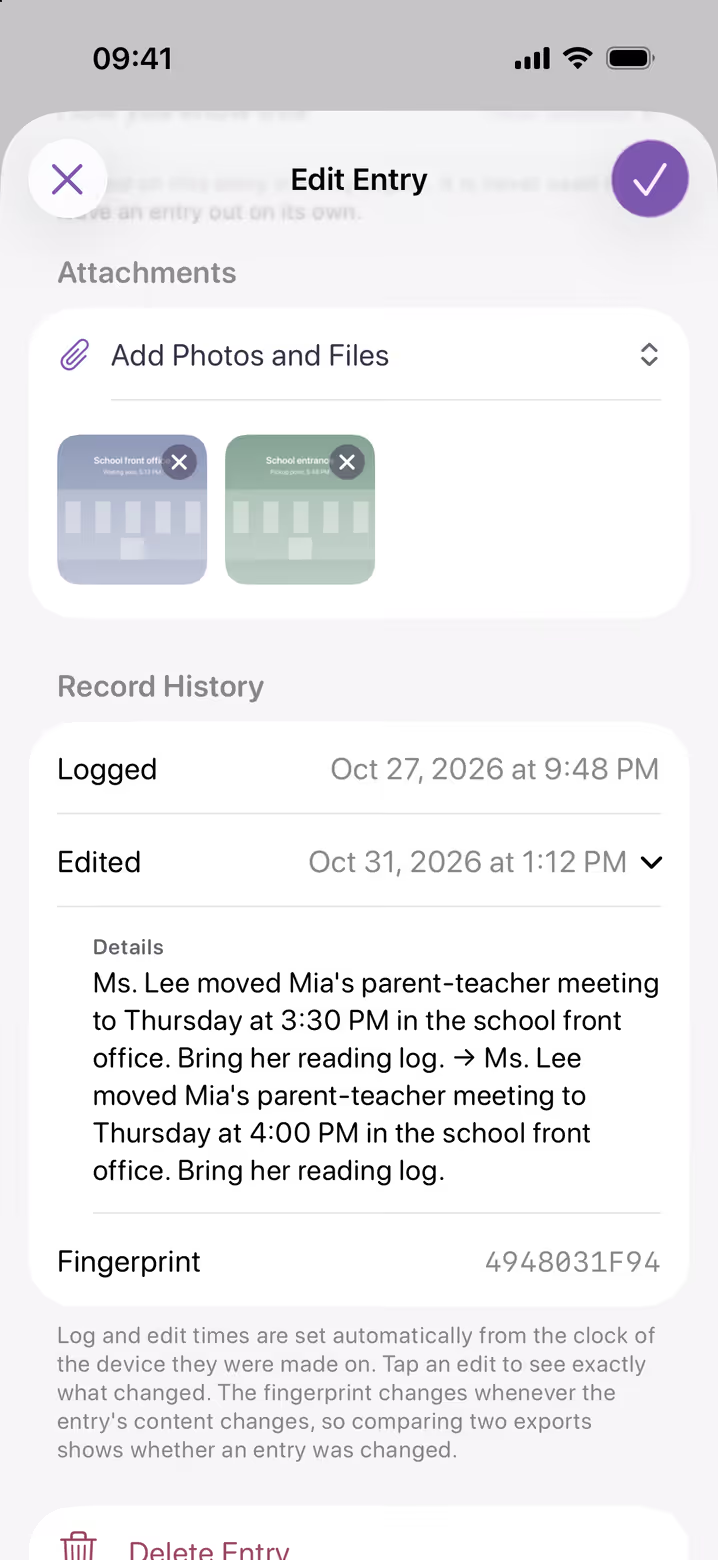
| Timestamps | Each entry keeps when it happened, which you set, and when it was logged, recorded automatically from your device's clock. | Paper: a date you write yourself. Notes apps: a created or edited date, but nothing that separates when it happened from when it was written. |
| Edits preserve the original | Yes. An edit keeps the original in the history on the device where you made it, and each entry has a fingerprint that changes if its content changes. | No. A notes app can be edited silently; nothing shows the original wording. |
| Photos & receipts in context | Attached to the entry they belong to. | Scattered across your camera roll and files, hard to place later. |
| Shared expense tracking | Built in. Splits by percentage or amount, receipts attached. | A separate spreadsheet, or nothing at all. |
| PDF export | With Premium, one clean, dated PDF of your whole record, amendments noted. Exporting it all as a ZIP is free. | Retyping, screenshots, and loose paper. |
| Backup & privacy | Sent over encrypted connections, stored with access controls, and tied to your account. Entries and attachments come back on a new phone; edit histories and the record journal stay on the old one. | A notebook can be lost or damaged; a notes app is only as protected as the account it syncs to. |
| Cost | One subscription; a free week for eligible new subscribers. | Free, but the gaps can cost you when it counts. |
Comparison reflects our general understanding of the shared-platform model as of October 2026; details vary by product and plan.
When a notebook or notes app is enough
Honestly: if conflict is low, you just want to jot the occasional reminder, and you never expect any of it to matter in court, a notebook or your notes app is perfectly fine. Not every family needs a structured record. Oya Shield is for the situations where the record might be questioned later: where when it was written, whether it was changed, and what evidence sits with it matter to whether people find it credible.
Frequently asked questions
Is a notes app good enough to document custody issues?
For casual reminders, yes. The risk is that a notes app can be edited silently, so an entry cannot show it was written at the time and never changed. When a record might be questioned later, that gap matters. Oya Shield keeps the original in the edit history on the device where you amend an entry.
Why not just keep a paper journal?
A paper journal is a fine start, but it cannot timestamp itself, it cannot hold photos or receipts with the entry, and it can be lost or damaged. Oya Shield keeps the same day-by-day habit while adding automatic logged times, attached evidence, an edit history on the device where you make changes, and, with Premium, a clean PDF report.
Can I move my existing notes into Oya Shield?
You can re-enter past events as dated entries so your record is in one place going forward. New entries then record when they were logged, and an edit keeps the original in the history on the device where you make it.
What makes a custody journal more credible?
Records taken at the time, kept in a consistent factual format, with evidence attached and a history that shows they were not rewritten, carry the most weight. Those are exactly the things a blank page cannot show and a purpose-built app is designed to show.
Compare Oya Shield with other tools
Your record. Only yours.
Start documenting in two minutes, with or without your co-parent’s cooperation. Free to download for iPhone and iPad, with a free week for eligible new subscribers.
A paper journal and a phone's notes app are generic tools, not products Oya Shield competes with. Oya Shield is a documentation tool and does not provide legal advice.