
Comparison
A Custody X Change alternative for your daily record
Custody X Change is software for building parenting schedules and parenting plans, and one parent can use nearly all of it alone. Oya Shield does a narrower job: a private, day-to-day record of entries and expenses on your iPhone, with no shared account, no invitation, and an edit history on your iPhone.
Updated November 7, 2026
A planning tool and a daily record
Custody X Change is good at what it is designed for: custody calendars, parenting time counts, and written parenting plans, with a private journal, expense tracking, and co-parent messaging around them. Both products let you keep a private journal without your co-parent joining, so that is not the difference here. The difference is the job. Oya Shield does not write plans. It is built around logging what happens and what you spend, close to when it happens, on the phone already in your hand.
| Oya Shield | Custody X ChangePlanning and schedule software | |
|---|---|---|
| Who has to join | Just you. Works from day one, no invitation. | Just you, for everything except messaging. Messaging needs both parents on linked, paid accounts. |
| Who sees your entries | Only you, unless you share it with a professional. Your log is private to your account. | Your journal, parenting plan, and actual time log stay hidden from your co-parent. Calendars, activities, child information, and expenses can be shared. |
| Core job | A private, structured record of entries and expenses. | Parenting schedules, parenting plans, and parenting time counts, with record keeping alongside. |
| Parenting plans | No. Oya Shield does not write parenting plans. | Yes. A parenting plan template and automatic parenting time counts are central. |
| Shared calendar & messaging | No. Oya Shield does not replace how you communicate. | Yes. A custody calendar, plus messaging between linked co-parents. |
| Entry log with importance & categories | Yes. Title, facts, category, importance, photos, timestamps. | A private journal with attachments, organized by labels you create and keyword search. |
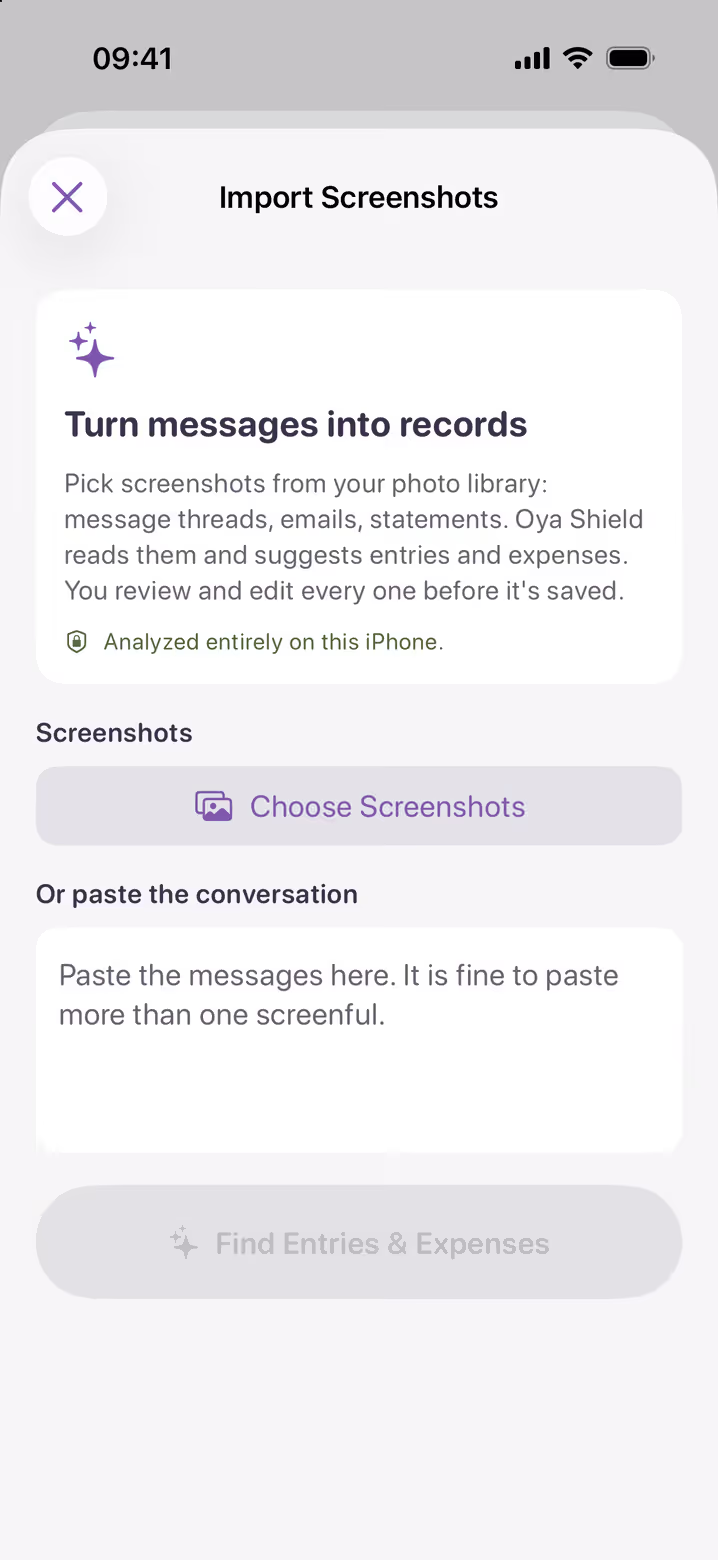
| Turn screenshots into entries | Yes. On an iPhone with Apple Intelligence, screenshots and pasted messages are read on the device and proposed as entry and expense drafts you review before saving. | You can attach screenshots, emails, and receipts to the journal. Its site does not describe reading them into draft entries. |
| Edits preserve the original | Yes. An edit keeps the original in the history on the device where you made it, and each entry has a fingerprint that changes if its content changes. | Messages are described as unalterable and timestamped. Its journal page does not describe an edit history. |
| Shared expense tracking | Yes. Splits by percentage or amount, receipts attached. | Yes. Splits by category, receipts, recurring costs, and repayments. A linked co-parent can decline an expense. |
| PDF export | Yes, with Premium: a clean, dated PDF of your record, amendments noted. Exporting the full record as a ZIP is free. | Yes. Reports can be printed or saved as a PDF, and journal entries chosen by date, topic, or keyword. |
| Sharing with a lawyer or mediator | With Premium, a read-only view of the entries you choose. They sign in free, their openings are listed for you, and you can end access at any time. | Free access for your legal professionals, who can see all your data, including your journal. A linked lawyer can edit and print the journal. |
| Platforms | iPhone and iPad, iOS 26 or later. No Android, and no web app for parents. | iPhone, Android, Windows, Mac, and a browser. Its apps come from its website, not the app stores. |
| Setup | About two minutes, on your own. | On your own, in a browser or its app. |
| Pricing model | Free to download. Premium is needed for new entries: $8.99 a month or $85.99 a year (US prices), with a free week for eligible new subscribers. | A subscription billed monthly or yearly, with features set by plan. Linking accounts to share data with a co-parent depends on them subscribing too. |
Comparison reflects Custody X Change's own public pages as of November 2026; details vary by plan and change over time.
When Custody X Change is the right call
Honestly: if you need to write a parenting plan or build a custody schedule to propose, use the tool built for that. Oya Shield does not write plans. Custody X Change also runs on Android and Windows, and Oya Shield is iPhone and iPad only. If what you need is a daily habit rather than a planning project, that is where Oya Shield fits. What it replaces is the notes app, the scattered screenshots, and the shoebox of receipts. The two can also sit side by side.
Frequently asked questions
Do I need my co-parent to use Custody X Change?
No. Its site says you can use every feature on your own apart from co-parent messaging, and that your journal stays hidden from your co-parent. Oya Shield also works with one parent: no shared account, no invitation. The difference between them is the job, not who has to join.
How is Oya Shield different from Custody X Change?
Custody X Change centers on planning: schedules, parenting plans, and time counts, with a journal alongside. Oya Shield is a record you keep day to day, on iPhone and iPad. Entries have guided fields for category and importance, each one keeps when it happened and when it was logged, and an edit keeps the original in the history on the device where you made it. On an iPhone with Apple Intelligence, screenshots are read on the device and proposed as drafts you review.
Does Oya Shield make parenting plans?
No. Oya Shield has no parenting plan template, no shared calendar, and no messaging. It is a private log for what you observe and what you spend: timestamped entries, photos, and shared expenses that you can export as a clean PDF with Premium.
Which should I choose?
If you need to write a parenting plan, or you use Android or Windows, choose a planning tool like Custody X Change. If what you need is a private day-to-day record on your iPhone, entries, evidence, and expenses, that is what Oya Shield is built for. You can also use one for planning and the other for your daily record.
Compare Oya Shield with other tools
Your record. Only yours.
Start documenting in two minutes, with or without your co-parent’s cooperation. Free to download for iPhone and iPad, with a free week for eligible new subscribers.
Custody X Change is a trademark of its respective owner. Oya Shield is an independent product and is not affiliated with, sponsored by, or endorsed by Custody X Change. Oya Shield is a documentation tool and does not provide legal advice.